
NanDatte
“What was that?” — now in text
What people say turns into text as they speak.
Read back anything you missed, right on the screen.
Coming soon to the App Store
NanDatte comes from the Japanese phrase “Nan datte?”, meaning “What was that?”
What it does
Speech becomes text, right away
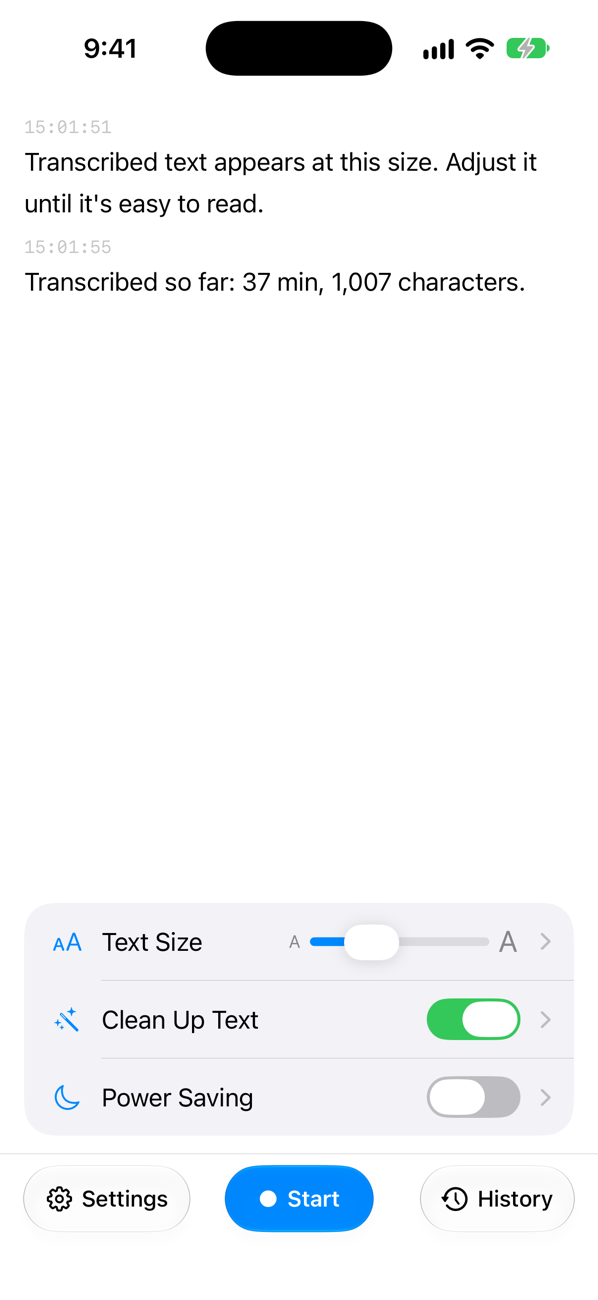
What people say appears as text on your iPhone. If you miss something, scroll back a little and read it again.
Your audio stays on your iPhone
Transcription happens on your iPhone. Audio data is never sent to a server.
On Apple Watch, too
If you have an Apple Watch, check what was just said with a glance at your wrist, before you have to ask “What was that?” NanDatte works with iPhone alone, too.
History you can read later
Transcripts are kept in History. You can search them and share them. Only text is kept; audio is not saved.
Made for long conversations
With Power Saving on, the screen dims after the time you choose, and a tap shows the text again.
Free, with no ads
NanDatte is free and has no ads, so that anyone who needs it can use it.
NanDatte can also clean up text to make it easier to read (on supported iPhone models) and protect your history with Face ID. It transcribes Japanese and English.
Good to know
- NanDatte transcribes with Apple’s speech recognition, without sending audio data to a server.
- Transcription is not guaranteed to be correct. Please double-check anything important.
- Results vary with your iPhone model, the distance to the microphone, and the sounds around you.
Requirements
- iPhone with iOS 26 or later
- To read on Apple Watch: an Apple Watch with watchOS 26 or later
- Text cleanup and history summaries need an iPhone that supports Apple Intelligence